Can't Merge Two project

I can't merge two project.
I have follow the order in the KNX official article.
Test1 and Test2 have the same style of the group address.
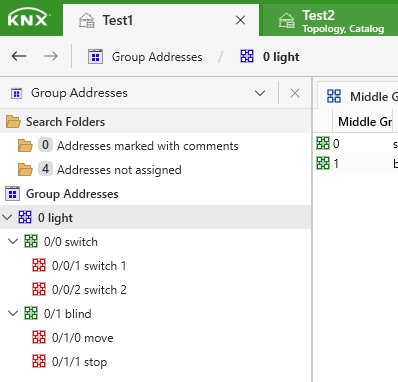
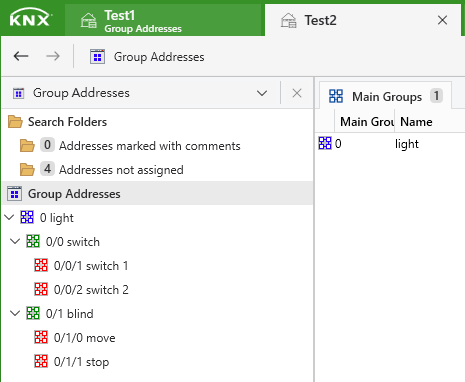
-

✅ Things to Check for Successful Merge
-
Project must be in the same ETS version
-
Both projects need to be created/last saved in ETS6 (not ETS5/ETS4 without proper conversion).
-
If one is older, convert it first (Project → Export ETS5 XML → Import into ETS6).
-
-
Group Address Levels
-
Even if the style (2-level, 3-level, or free) is the same, check that:
-
The Main Groups / Middle Groups / Sub Groups are consistent.
-
No duplicate group addresses conflict between Test1 and Test2.
-
-
-
Topology conflicts
-
Make sure both projects don’t define the same line/area with different configurations.
-
Example: Area 1 Line 1 in both projects but with different line couplers → conflict.
-
Solution: Align line/area numbering first.
-
-
Device duplicates
-
If the same physical device (same individual address) exists in both projects, ETS will block the merge.
-
Change the individual addresses in one project before merging.
-
-
Merge procedure reminder
-
Open the main project (e.g., Test1).
-
Go to: Project → Merge → Select Test2 → Import.
-
Follow the wizard to check for conflicts.
-
⚡ Troubleshooting Tip
Try exporting Test2 as an ETS App/Project XML and then importing into Test1 instead of direct merge. Sometimes this bypasses catalog or address inconsistencies.
0 -
Opmerkingen
1 opmerking
U moet u aanmelden om een opmerking te plaatsen.