Object Name, Object Function, Link With… Group Address Naming

Perhaps when Group Addresses are being created and named through the Link With Group Address dialog, the default/suggested name could take into account more than just the Object Function column?
I'd suggest using at least the Name column. (Not sure if any other make sense in this context, but Name is the obvious one I'm missing.)
Perhaps there could be check boxes in the dialog for the columns that (potentially) make sense in this context. The state of the check boxes should be remembered.
Here's an example of what GA names I get if I just use the default names based off the Object Functions:
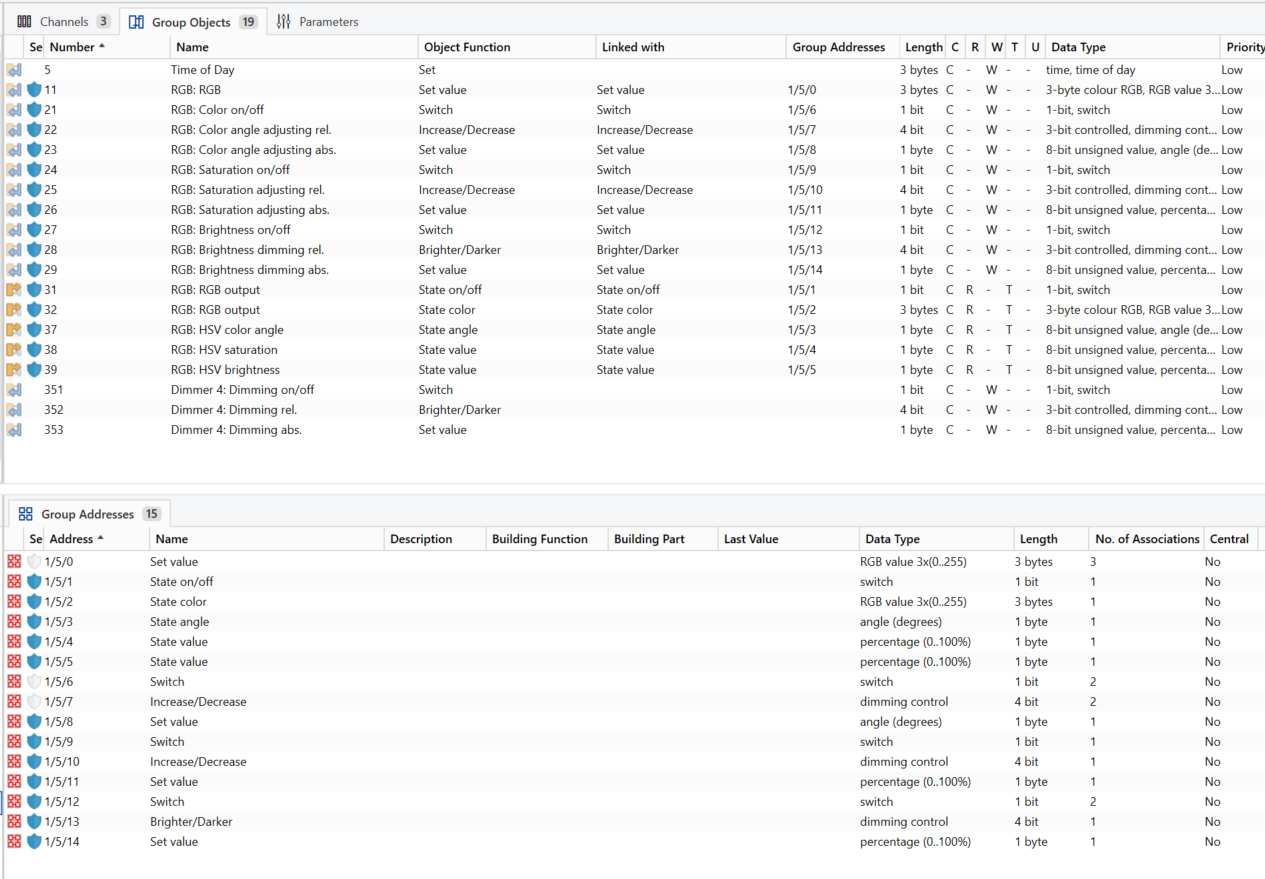
The omission of the Name column is especially egregious when the device manufacturer actually supports naming the channels / objects through Parameters:

The custom name information is lost:
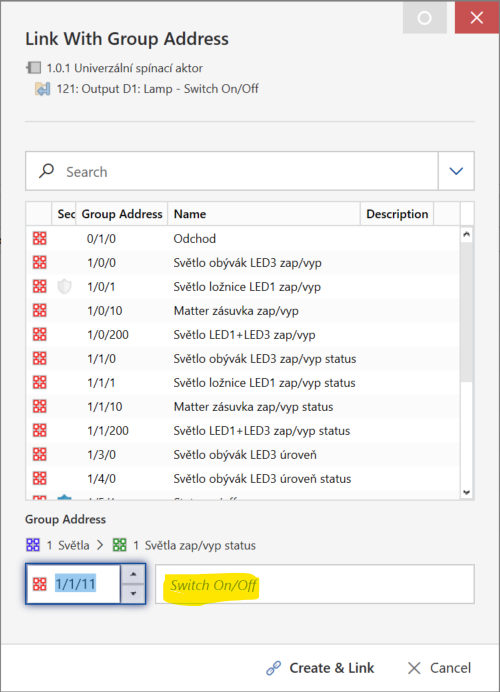
(A side note: perhaps this custom name should be made a separate column in future knxprod / ETS versions? I can imagine this could make some automations easier and overall make this feature more formal(ized). Also manufacturers should be strongly encouraged to make use of it.)
When the application program does not use the Object Function column at all (as is case perhaps with older hardware / knxprods?), it's pretty much useless too:
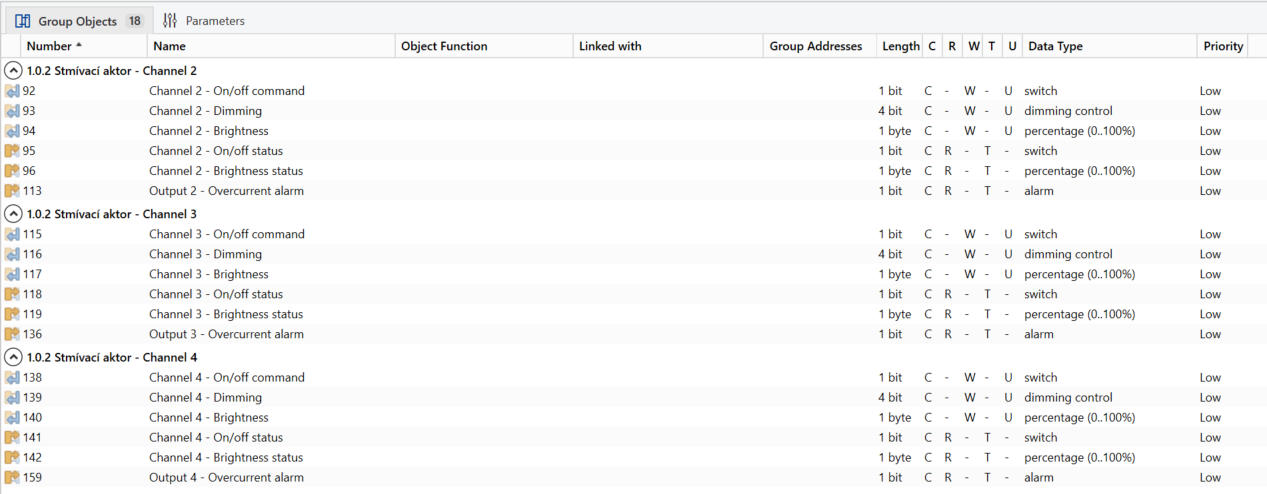
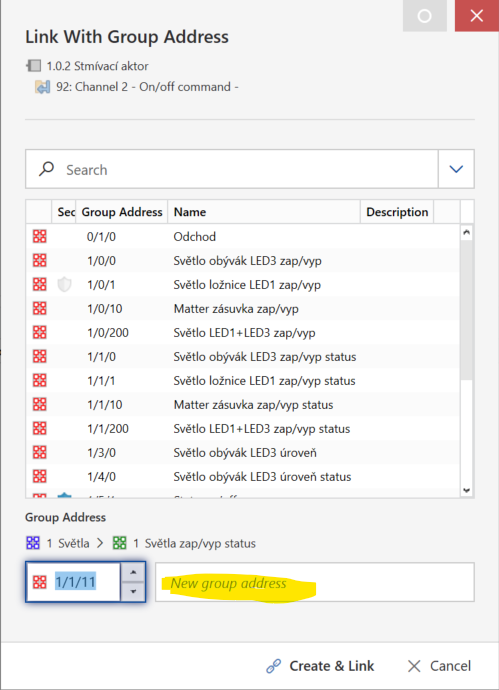
Using the Name column would solve the issue here.
Another gripe: Perhaps I'd like to use the default name (e.g. Switch On/Off) but edit it just slightly, maybe add some characters (channel/device name) to it. But when I click into the field, the default (grey) name disappears and I have to re-type everything. What a time waster.
Here's another idea: Perhaps I'd like the GO's Name to become the GA's name and the GO's Object Function to become a part of the GA's Description, or vice versa?
It's like this feature never went through any usability/UX testing.
I can imagine creating (and naming) multiple GAs at the same time this way, by selecting multiple GOs, displaying a dialog with a table that would allow me to adjust multiple GA numbers/offsets/names.
Not sure why we need the paid Bulk Linker app to do something that's basically every KNX installers every day bread-and-butter task (and the number one source of Repetitive Strain Injury).
Honestly, at the end of the day, this should just be an integral part of ETS:
https://www.splendidminds.de/produkte/createandlinkgroupaddresses/
-

I think the promoted view to use is the building view. There when you houver over a group address you can see where it originated from. So it's name only needs to tell you the function.
But I fully agree with being able to edit a default name of GA but also of devices.
0 -
Yeah Building Functions are nice, but that's another can of worms:
- Improvements to Functions-based workflow
- Enhancement Request – Building View Functions & Group Address Naming
It's like there is 10 ways of creating GAs in ETS but none of them are great, really. But maybe the real question should be - do we need GAs?
Ideally we would just be able to connect inputs/sensors to outputs/actuators (if I simplify things) and be done with it, no need to concern ourselves with GAs, their structure, naming, all this nonsense… Is there any other system on the market that forces us to spend so much time creating and managing this layer?
At least Splendid Minds' Create and Link Group Addresses etsapp seems to take much of the needlessly repetitive work away.
Who knows, maybe AI-assisted project generation tools will solve this for us. Or maybe just some scripting engine that would be more energy/cost efficient and allow us to generate projects in an automated / bulk manner and in a predictable way.
After posting, I found other posts reporting one or more of the exact issues I described in my first post, even with the same or similar proposed solutions, so apparently I'm not the only person who sees them and is bothered by them.
1 -
Yeah the GA could be hidden but kept for the sake of backwards compatibility. The only benefit with them is that you actually have an object you can observe for debugging.
0 -
Don't forget there is going to be another way of creating and linking GAs – Smart Linking. I hope it's going to build on or extend Building Functions (which, with some added semantics, could be useful for creating objects/widgets in visualizations / BMS).
0 -

Went through this now with support... wasted my time!!
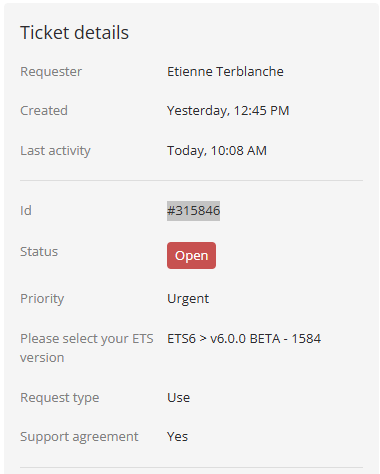
https://support.knx.org/hc/en-us/requests/315846?page=10 -
Etienne, what's in that ticket?
0 -
#315846
 0
0
Comments
7 comments
Please sign in to leave a comment.