Step-by-step guide to setting up a personal MyKNX account for software licensing, orders, and certifications.
- A personal MyKNX account is mandatory to purchase and manage KNX software licenses for personal use.
- Register at my.knx.org using your official legal name, as it will appear on any KNX certificates.
- Manage orders, licenses, training courses, and certifications directly in your account.
To purchase KNX licenses for personal use, you need a personal MyKNX account.
How to create a personal account
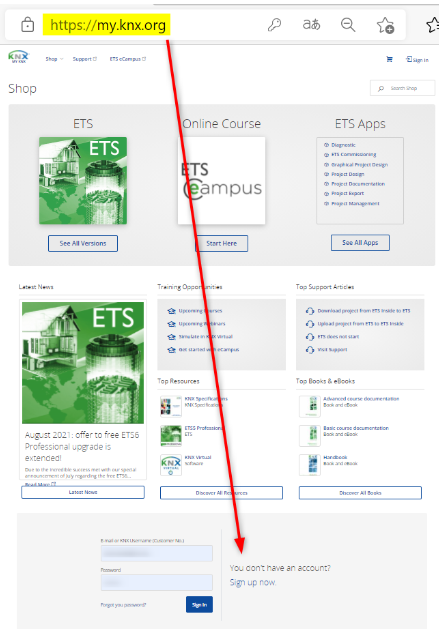
- Go to my.knx.org and click Sign up now.
- Enter your personal details. Use your full legal name if you plan to obtain KNX certification, as it will appear on your certificate.
- Activate your account via the confirmation email. (Not received it? Check your spam folder.)
- Log in to my.knx.org, then:
- Complete your profile under Account → Profile.
- Add your invoice and shipping address under Account → Manage contacts.
- Go to Shop, add your license to the cart, and complete the order.
What you can manage in your account
-
Orders and licenses: View all your licenses, orders, invoices, certifications, and related services in one place.
-
Training and certification: Enroll in courses, track your progress, and obtain KNX certifications.
-
Community and support: Connect with professionals, access support resources, and join the forums.
Need help? Contact us at info@knx.org.
